Set Up your Switch Kit
Get connected and start playing in just three steps!
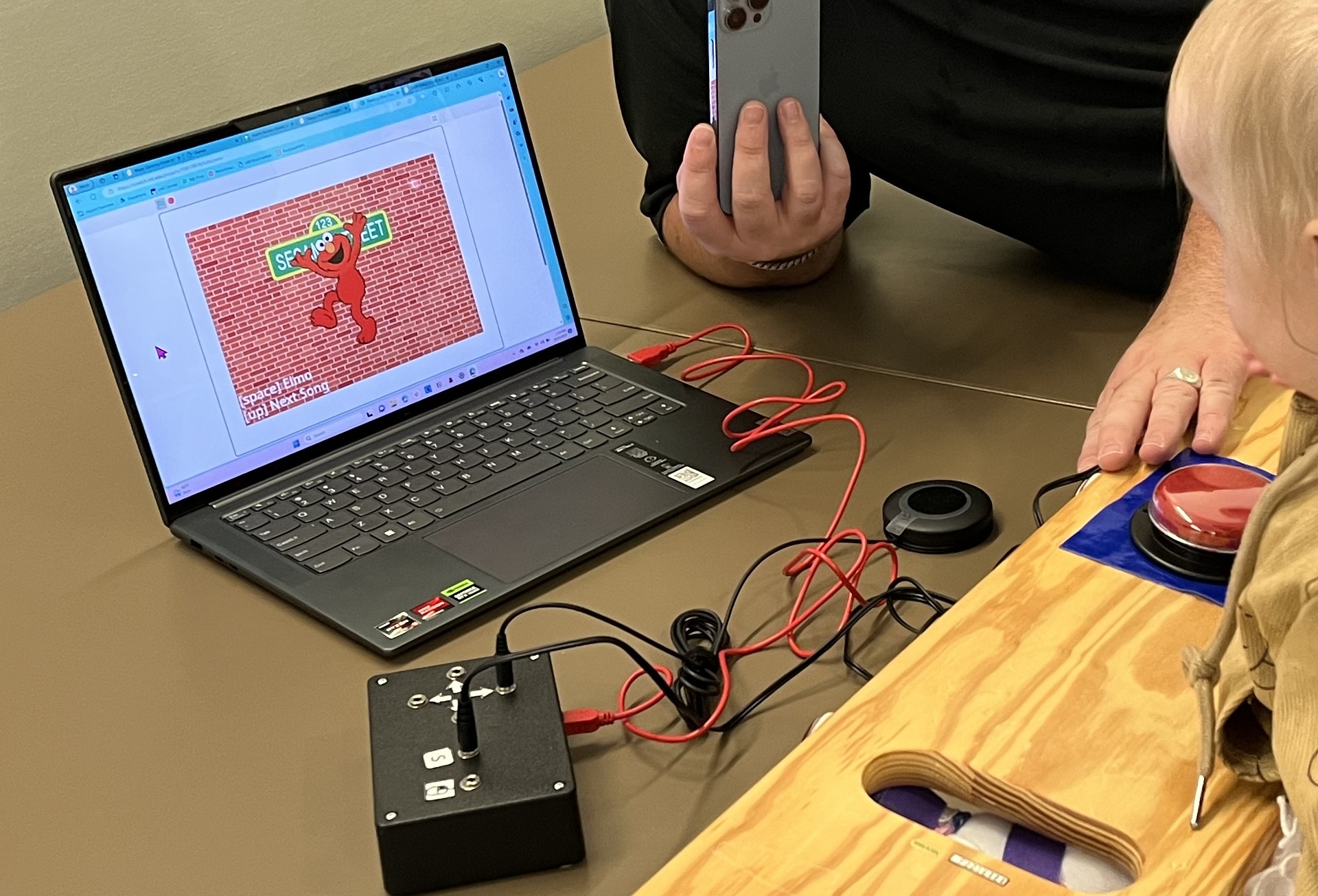
1. Connect your input device
First, connect the red USB mini-B cable to the port on the side of the input device.
Using a tablet or smart phone You may need an adapter to connect the USB cable to your tablet.
- Lightning: Use a USB adapter compatible with Lightning device. Example adapter
- USB-C: Use a USB-C adapter with a USB port. Example adapter
Connect the red USB-A cable to the adapter, then connect the adapter to your tablet.
Tip: Make sure your adapter supports USB devices/data, not just charging.
Using a computer Plug the red USB mini-B cable end into the input device, and connect the USB-A end directly to a USB port on your computer.
2. Connect a switch.
Connect an adaptive switch to one of the audio jack ports on the input device.
You can use:
- A commercially available adaptive switch
- One of our DIY switches
- A switch you’ve made yourself
Make sure the switch is fully plugged in before continuing.
3. Choose a game or activity
You’re ready to play!
Select a game from the Games page.
If you’re new to the Switch Kit, we recommend starting with a game that only requires one switch, such as Bluey Dancing.
Switch Kit Guide
Ready to start exploring the Switch Kit?
Our Switch Kit Guide provides an overview of how to get started, ideas for using the Switch Kit during play and learning, and guidelines for adapting the kit to meet individual needs.
Use the guide as a starting point and experiment with different switches, activities, and setups to find what works best for you.